
DARK SOULS 3 Servers: Status, Login Fixes, and Co-Op
DARK SOULS 3 servers giving you trouble? Find out how to check outages, fix login errors, troubleshoot co-op matchmaking, and explore private PC servers.
Jump to
Are the Servers Back Online?
DARK SOULS 3 servers have had online features restored following a fix for the recent Dark Souls II and III connection issues. That brings back the multiplayer features you need for boss help, invasions, and covenant summons. If you still cannot connect, separate a failed server login from a matchmaking problem before changing your settings.
A login error means you cannot reach the online service. Successfully logging in but finding no summon signs points toward matchmaking requirements, network compatibility, or the settings you and your partner are using.
Check the developer’s own channels for maintenance and restoration announcements when several players lose access together. An old shutdown headline can describe an interruption that has already ended.
The PC version also has an earlier restoration and subsequent update worth distinguishing from newer interruptions:
| Date | PC update | What changed |
|---|---|---|
| August 25, 2022 | Online features reactivated | PC multiplayer returned after its extended interruption. |
| January 12, 2023 | Patch 1.15.2 | Fixed bugs introduced in update 1.15.1; the title screen showed App Ver. 1.15.2 and Regulation Ver. 1.35. |
Those version numbers belong to that dated PC update. For multiplayer, make sure everyone has applied the updates available for their installation.
Official page: DARK SOULS™ III (bandainamcoent.com)
Fix “Failed to Log Into the Game Server”
Start with the scope of the problem. If your friends can connect while you cannot, investigate your connection. If everyone gets disconnected together, check for a service announcement before resetting your network.
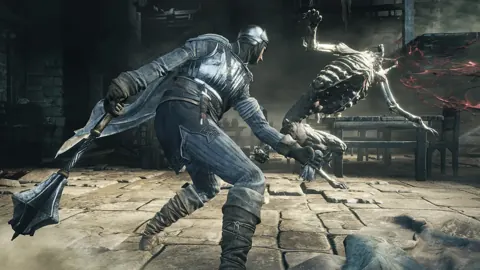
 Image: Steam / FromSoftware, Inc.
Test a different connection
Try connecting through a phone hotspot as a diagnostic step. If login works there but fails on your home connection, focus on your router, internet provider, and local network restrictions.
That result gives you a useful direction; it does not identify the exact setting responsible.
Review router and firewall restrictions
Check whether your router or security software blocks peer-to-peer traffic. Other games working online does not rule out a restriction affecting this game.
For strict NAT connections, review these points:
- Check with your internet provider whether your connection has a public IP address.
- Review your router’s UPnP setting.
- If UPnP cannot establish the necessary connections, investigate the appropriate port configuration.
- Review firewall permissions for the game and Steam.
An open or moderate NAT classification does not guarantee that every connection will succeed. Avoid disabling your firewall wholesale; inspect the relevant permissions instead.
Try Windows network repairs after narrowing down the problem
On PC, a DNS flush and Winsock reset are additional troubleshooting options. Open Command Prompt as administrator, enter ipconfig /flushdns, then enter netsh winsock reset, and restart your computer.
Use this after checking for an outage and testing your connection. A Windows network reset cannot repair maintenance on the game’s service.
Why Co-op Matchmaking Can Fail While You’re Online
Logging in is only part of establishing a multiplayer session. Matching also depends on regulation version, network compatibility, character level, weapon upgrade history, and regional matchmaking settings.
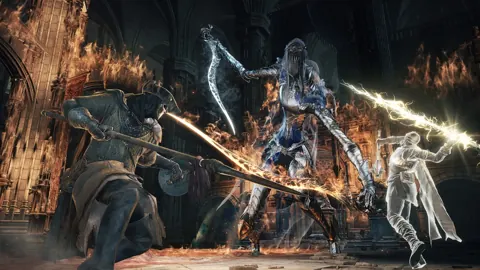
 Image: Steam / FromSoftware, Inc.
Check regulation versions
Compare the Regulation Ver. shown on both players’ title screens. Players with different regulation versions are excluded from matching.
Apply available updates before spending time troubleshooting summon signs.
Account for your highest weapon upgrade
Regular matchmaking considers weapon upgrade level alongside character level. It uses your highest upgrade history, so equipping a weaker weapon does not lower that matchmaking bracket.
Keep your upgrade progression close to your partner’s when relying on ordinary summon signs. A large difference can exclude otherwise compatible characters.
Use matching passwords for arranged summons
Set the same multiplayer password when coordinating white or red summon signs with a friend. Password matching bypasses the usual weapon upgrade restriction for those signs and reduces the effect of character level differences.
It still depends on compatible regulation versions and a working network connection.
Password summons can also take longer when many players occupy the same area or when the participating characters have a large level gap. Give the sign time to appear before repeatedly changing settings.
Review regional matching
Enable cross-region matching when trying to connect across regions. This setting expands regional eligibility; it does not repair a failed login or override incompatible regulation versions.
Covenant Summons and Offline Alternatives
Covenant activity follows specific multiplayer conditions. Blue Sentinels and Blades of the Darkmoon answer calls to defend invaded Way of Blue hosts. Watchdogs of Farron and Aldrich Faithful participate in territory-based invasions.
 Image: Steam / FromSoftware, Inc.
Waiting without a summon does not, by itself, mean the service is down. Your character’s matchmaking bracket and the availability of eligible hosts both matter.
If an interruption blocks covenant progress, several reward items remain obtainable from enemies:
- Proof of a Concord Kept: Farm Silver Knights near the Anor Londo bonfire.
- Wolf’s Blood Swordgrass: Farm Ghru in Farron Keep, including those near Keep Ruins.
- Sunlight Medals: Farm Lothric Knights in Lothric Castle.
- Pale Tongues: Farm the Darkwraiths near Farron Keep Perimeter.
- Human Dregs: Farm Devout of the Deep around Irithyll and Anor Londo.
- Vertebra Shackles: Farm eligible Carthus Skeletons in the Catacombs of Carthus.
These drops involve grinding, but they let you keep pursuing covenant rewards during downtime. All achievement requirements can be completed offline; online play can speed up covenant item collection.
Private PC Multiplayer With DS3OS
Dark Souls Open Server, commonly called DS3OS, provides a separate PC multiplayer environment for private sessions and compatible mods. Its functionality includes summoning, invasions, messages, bloodstains, ghosts, covenant auto-summoning, and arena matches.
The loader offers options to create a server or join an existing one. For dedicated hosting, running Server.exe starts the custom service. The Steam client must be installed on the hosting computer, although the server application does not require a Steam login.
After its initial run, the server creates Saved\default\config.json. That configuration contains matchmaking options and a server password setting. Restart the server after changing its configuration.
For connection trouble on a self-hosted installation:
- Run the loader with administrator privileges so it can redirect the game’s connection.
- Allow the server application through Windows Defender Firewall.
- Check forwarding for TCP and UDP ports 50000, 50010, 50050, and 50020.
- Review
ServerHostnameandServerPrivateHostname, which should reflect the appropriate public and local addresses.
Those ports apply to DS3OS hosting. Keep them separate from troubleshooting the standard online service.
DS3OS uses its own saves. Keep those saves separate from your retail characters, and do not copy modified private-server saves back into the retail save location.
Continue with
 DARK SOULS 3 Covenants: Locations, Rewards, and RanksExplore DARK SOULS 3 covenants, find every faction, compare rewards, and learn how to farm covenant items while avoiding Sirris and Mound-Makers lockouts.
Continue exploring
Join the community
Official channels for news, updates and player help: